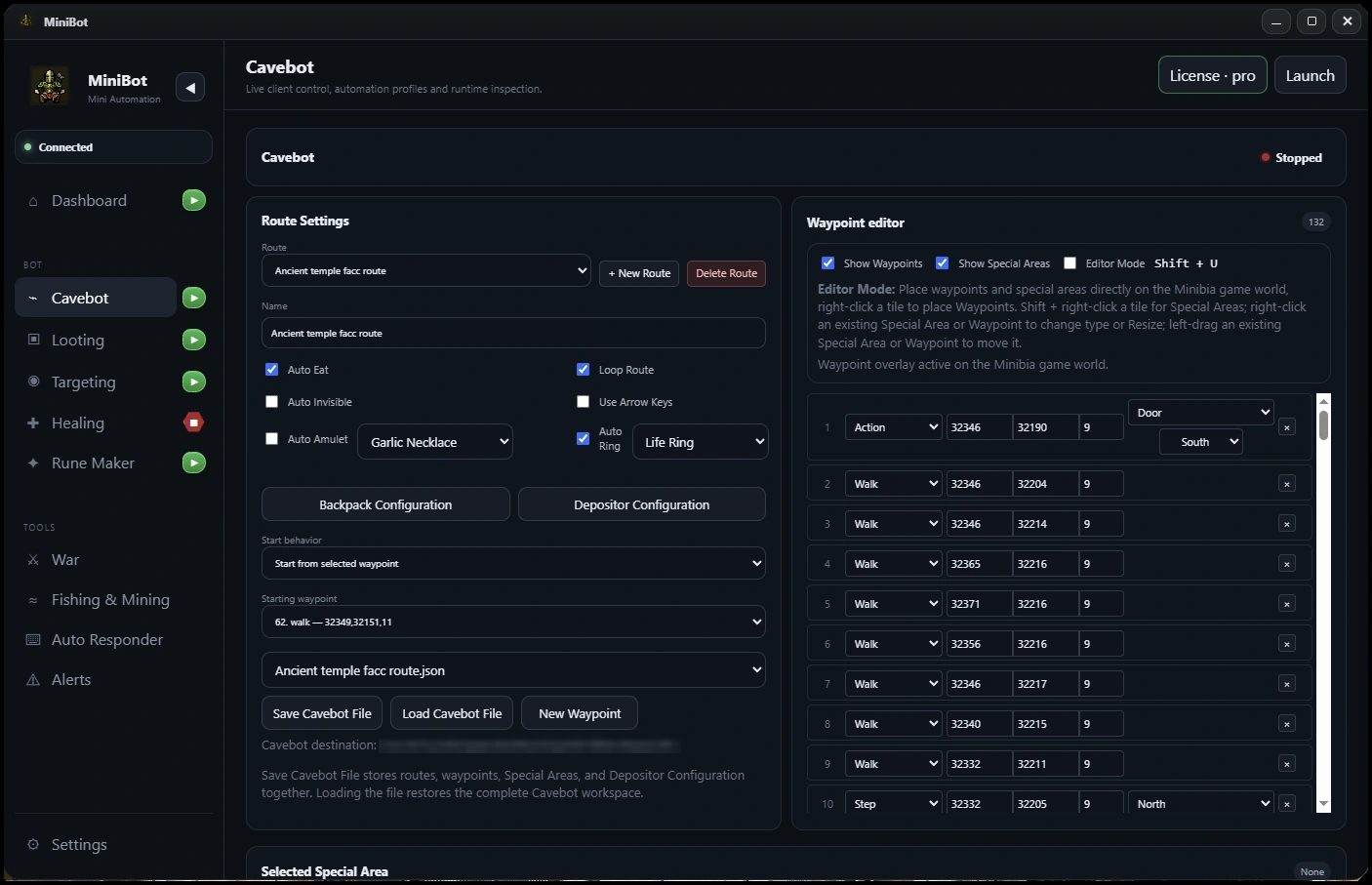
01 / Route automation for MinibiaControl your route with a visual waypoint editor
A Cavebot is only as useful as its route. MiniBot lets you organize navigation with walk, stand, tool and floor-transition steps so you can shape a path around the hunting area you want to use. Keep different routes organized and adjust waypoint order as your character or hunt changes.
- Visual waypoint editing and saved hunt routes
- Route steps for movement and interactions
- Recovery logic designed to resume navigation after interruptions
02 / Route automation for MinibiaConnect Cavebot to supply checks and your depot
Cavebot is part of a larger workflow. Supply and capacity checks can trigger a configured route change, while deposit and resupply settings help you plan what happens between hunting loops. Configure backpack destinations before you start, rather than interrupting each run to sort items manually.
- Supply and capacity conditions
- Auto Depositor and backpack configuration
- Routes that connect hunting and supply management
03 / Route automation for MinibiaBuild toward hands-off hunting
MiniBot supports Full AFK-style routing configurations by combining Cavebot with Targeting, Looting and Healing. Those systems are configurable and depend on a compatible client, correctly designed routes and sufficient supplies. Check the setup during testing before relying on long sessions.
- Combine with Smart Targeting for creature rules
- Connect Smart Looting to route progression
- Use Healing and mana recovery alongside navigation
Important: MiniBot is independent third-party software, not affiliated with Minibia. Minibia's published rules prohibit cavebotting and other non-native automation. Review the rules before use.