The complete toolkit

Premium Minibia Bot Features:
Cavebot, War Bot & Looting

Explore MiniBot for Windows: Full AFK Cavebot workflows, Smart Targeting, Smart Looting, Auto Depositor, War Mode, Unlock All Outfits and healing with real MiniBot previews.

Download MiniBot ↗
01 / THE MINIBOT SUITE

Unlock All Outfits & Rare Creature Radar

Outfit Selector · ★ Alpha & ★ Ancient Radar

Customize your character with MiniBot’s Unlock All Outfits option. The minimap radar also highlights ★ Alpha and ★ Ancient creatures, helping you spot rare encounters. The gameplay clip shows the outfit feature in action.

  • Unlock All Outfits and Outfit Selector options
  • Minimap markers for ★ Alpha and ★ Ancient creatures
  • Watch the outfit showcase video
Explore MiniBot Pro
OUTFIT SHOWCASE 10 SEC
Real Minibia gameplay Click play to preview ↗
03 / THE MINIBOT SUITE

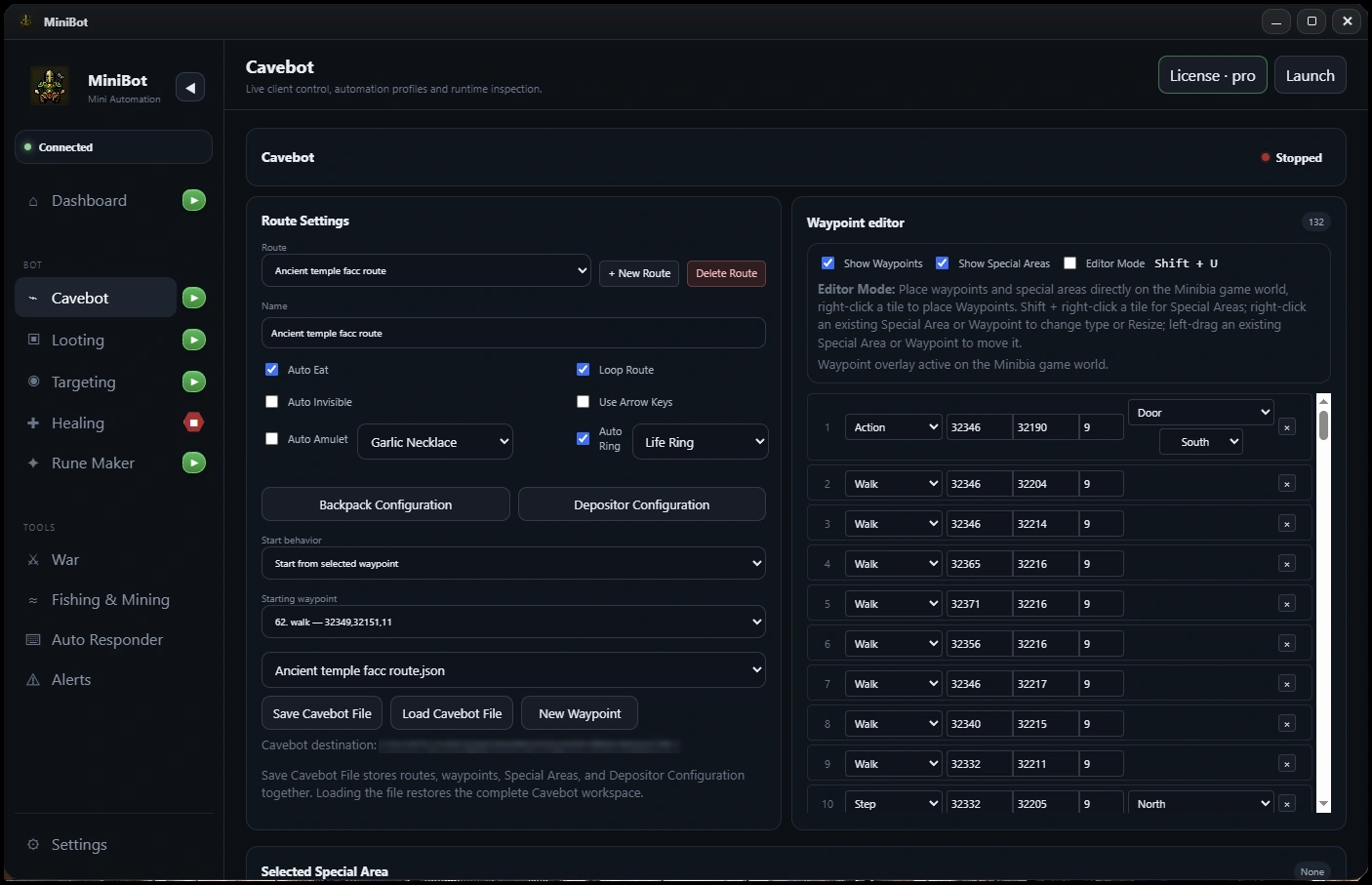
Fully AFK Cavebot

Deposit & Resupply

Set your route, organize your backpacks, and configure deposit and resupply workflows for long, hands-off hunts. The built-in waypoint editor puts your entire route in one place.

  • Visual waypoint editor
  • Depositor & backpack configuration
  • Supply and capacity checks
Explore this feature
Fully AFK Cavebot screenshot from the MiniBot application
Actual MiniBot interface
06 / THE MINIBOT SUITE

War Mode

Enemy Lists & Friend Lists

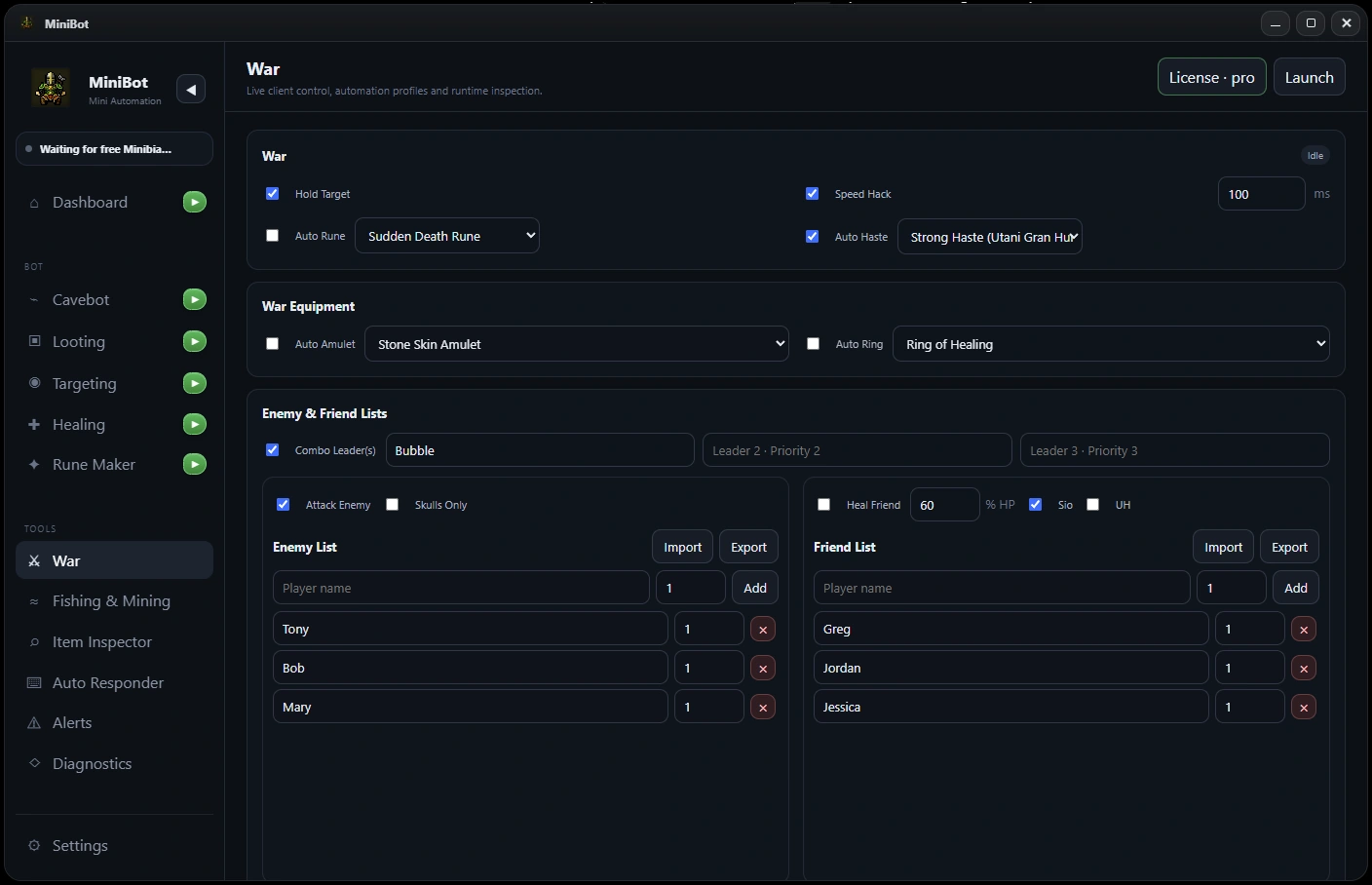
Keep PvP controls together: manage enemies and friends, configure combo leaders, enable Hold Target, and set up friend-healing actions when you need them.

  • Enemy and friend lists
  • Combo leaders & Hold Target
  • Sio and UH friend healing
Explore this feature
War Mode screenshot from the MiniBot application
Actual MiniBot interface
05 / THE MINIBOT SUITE

Complete Loot List

Know exactly what you pick up

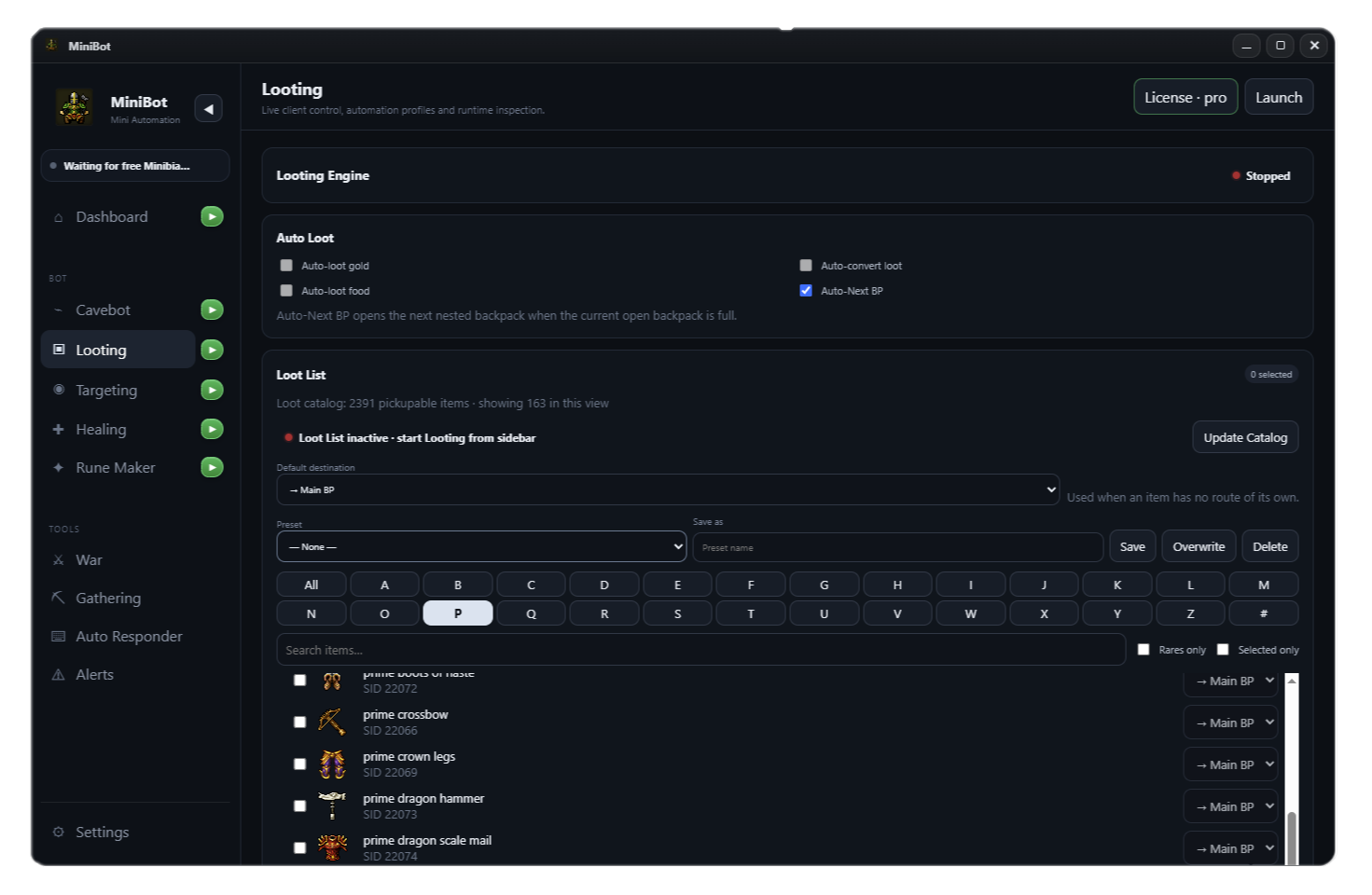
Search MiniBot’s 2,600-item pickup catalog, create loot presets, and send different items to their assigned backpacks. Closest-body priorities help the hunt keep moving.

  • 2,600 pickup items
  • Searchable list and presets
  • Per-item backpack destinations
Explore this feature
Complete Loot List screenshot from the MiniBot application
Actual MiniBot interface
And there’s more

Healing that works with your hunt.

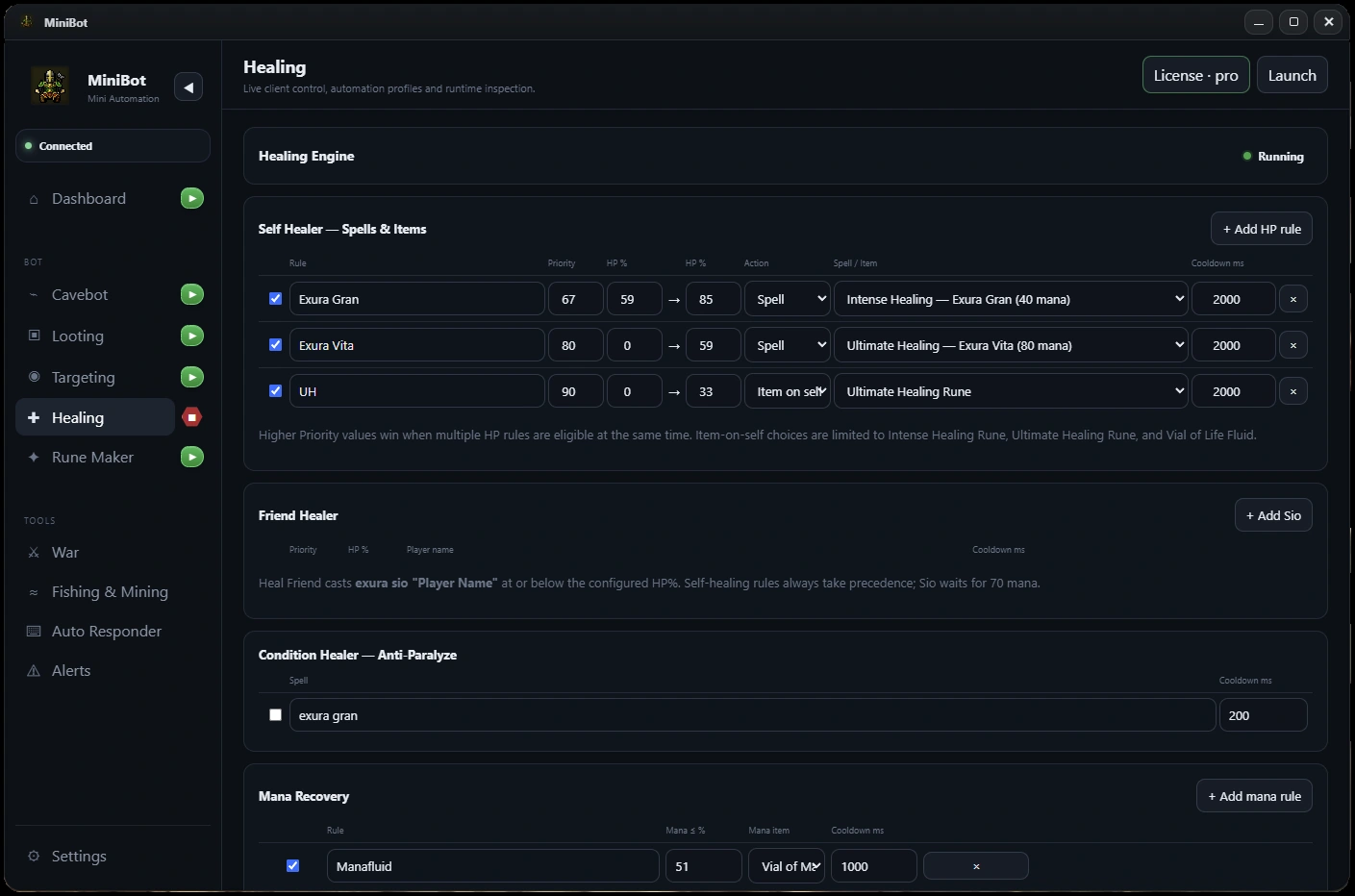
Configure HP-based healing, mana recovery, friend healing and anti-paralyze controls alongside your hunting setup.

  • Native HP and mana awareness
  • Spell and item healing rules
  • Friend healer and mana recovery
Explore all features ↗
Actual MiniBot Healing screen showing self-healer and mana recovery configuration
Actual MiniBot interface
04 / THE MINIBOT SUITE

Smart Targeting

A rule for every encounter

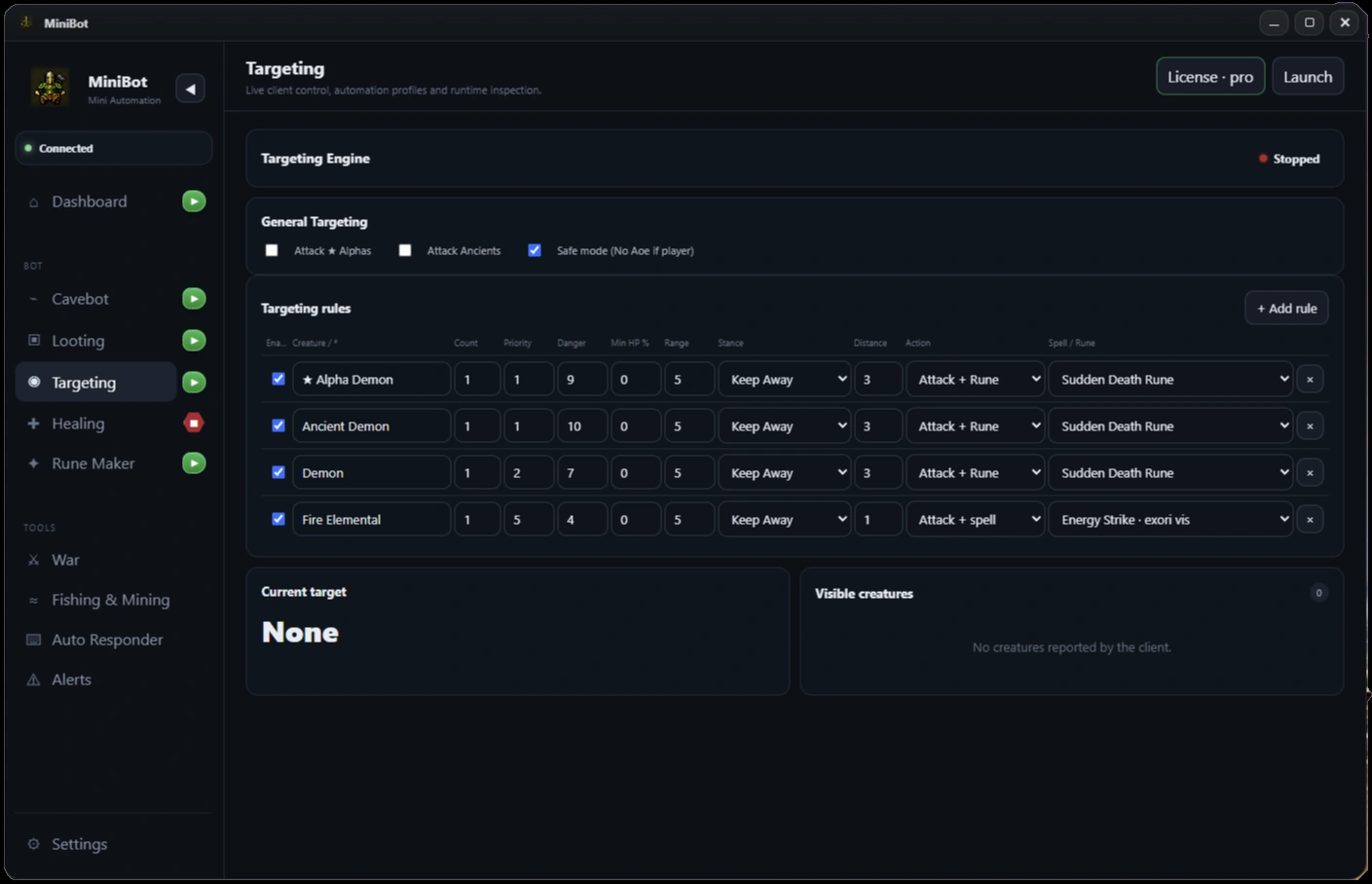
Set per-creature priorities, count thresholds, danger levels and preferred combat actions. Choose spells, runes and movement stances without juggling separate tools.

  • Priority & count-based rules
  • Spell and rune actions
  • Movement stance and safe mode
Explore this feature
Smart Targeting screenshot from the MiniBot application
Actual MiniBot interface
02 / THE MINIBOT SUITE

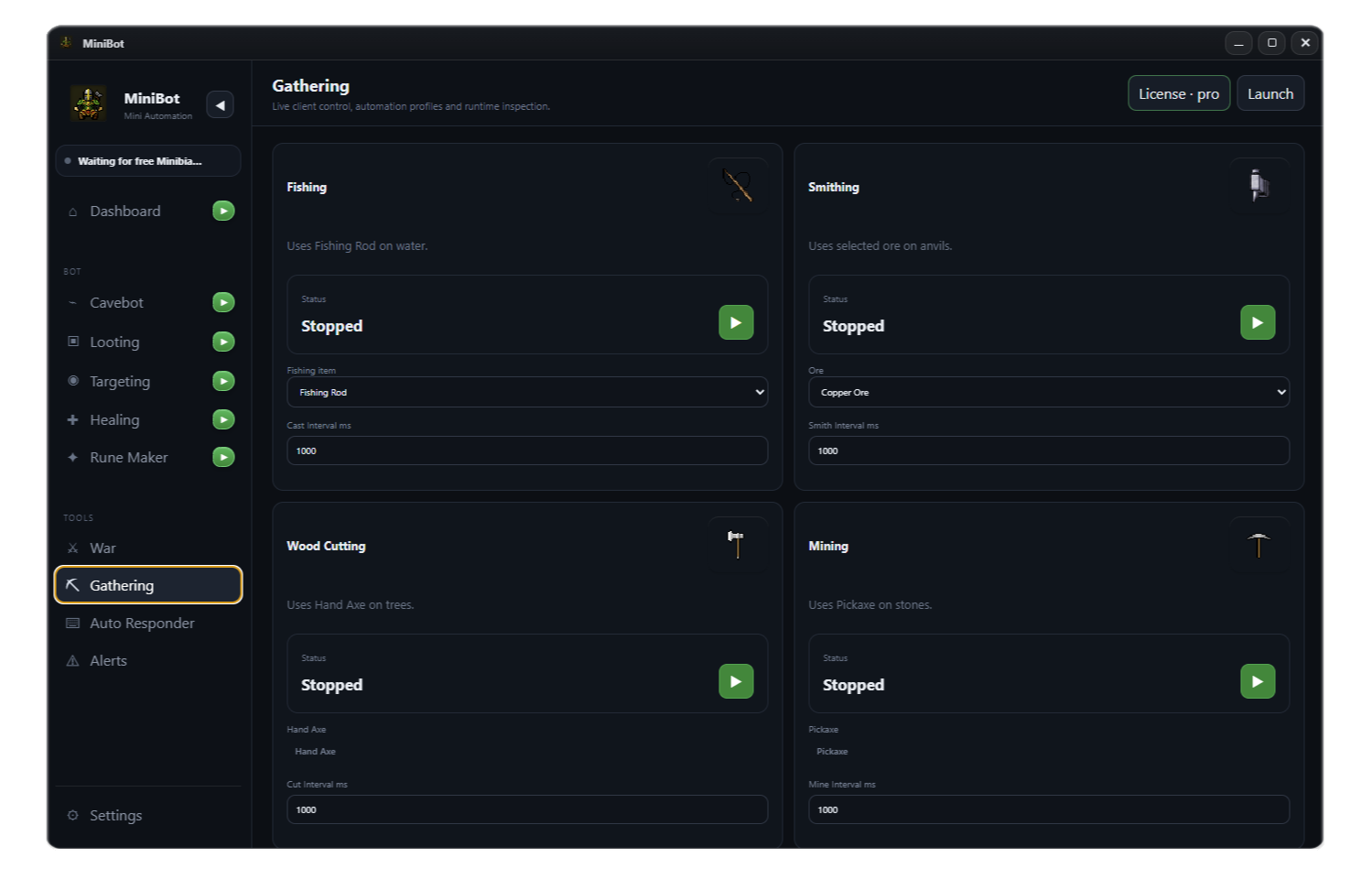
Profession & Gathering Support

Fishing, Smithing, Wood Cutting & Mining

Keep your profession tools together in MiniBot. Configure fishing, ore smithing, wood cutting and mining from one dedicated Gathering screen, each with its own controls and timing.

  • Fishing rod use on water
  • Ore smithing on anvils
  • Wood cutting and mining tools
Explore Profession & Gathering
MiniBot Gathering interface showing fishing, smithing, wood cutting and mining configuration
Actual MiniBot interface
07 / THE MINIBOT SUITE

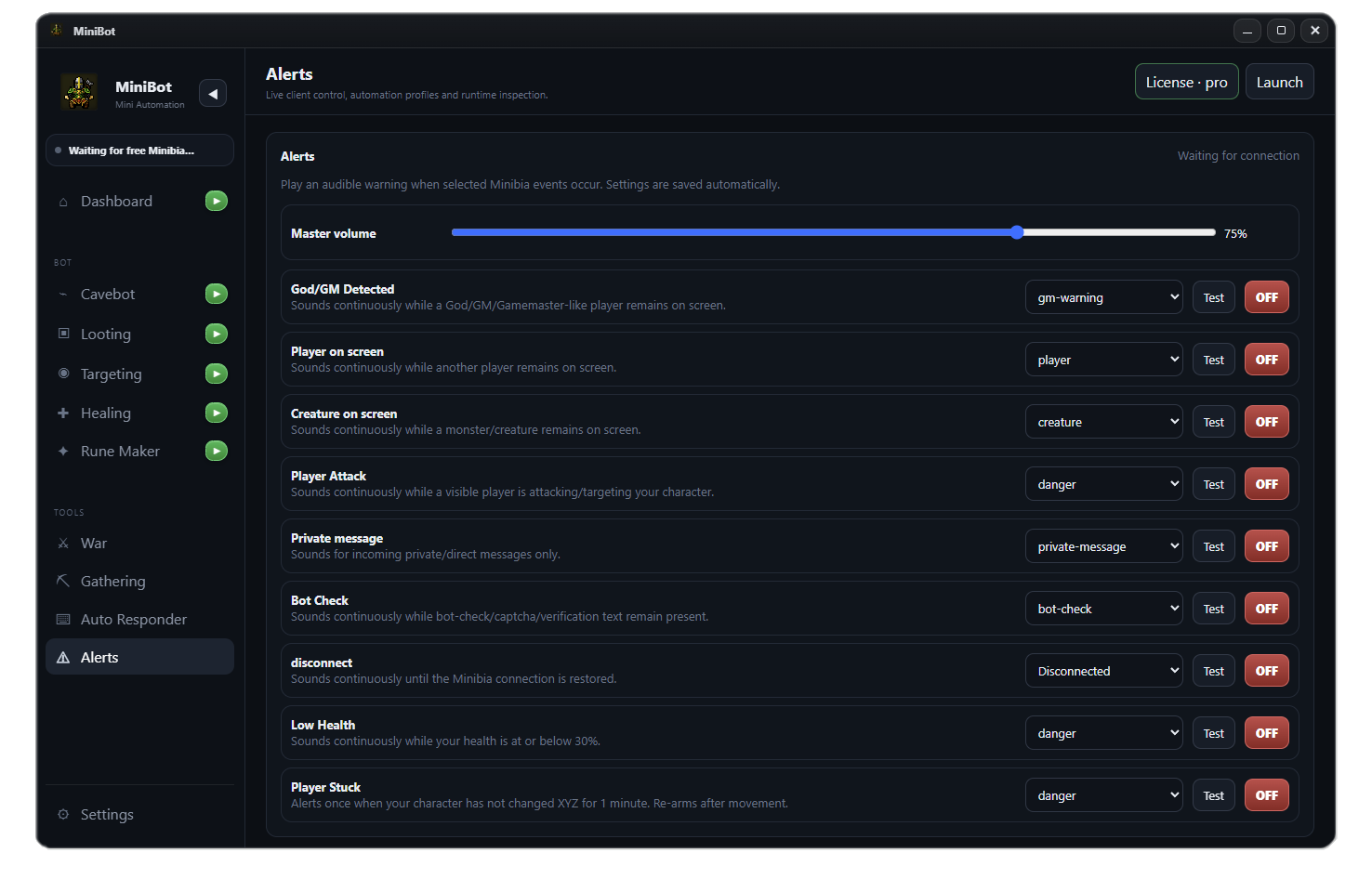
Alerts

Warnings that keep you informed

Play audible warnings for important Minibia events. Monitor god/GM detection, players or creatures on screen, player attacks, bot checks, disconnects, low health and a player-stuck condition from one dedicated Alerts screen.

  • Configurable sounds and quick test buttons
  • God/GM, player, creature and private message alerts
  • Bot check, disconnect, low health and player stuck warnings
See this feature in MiniBot
Alerts screen from the MiniBot application showing configurable alert sounds and toggles
Actual MiniBot interface
Your next hunt

Make every run count.

Download MiniBot, configure your route and put the whole toolkit in one place.

Get MiniBot for Windows ↗