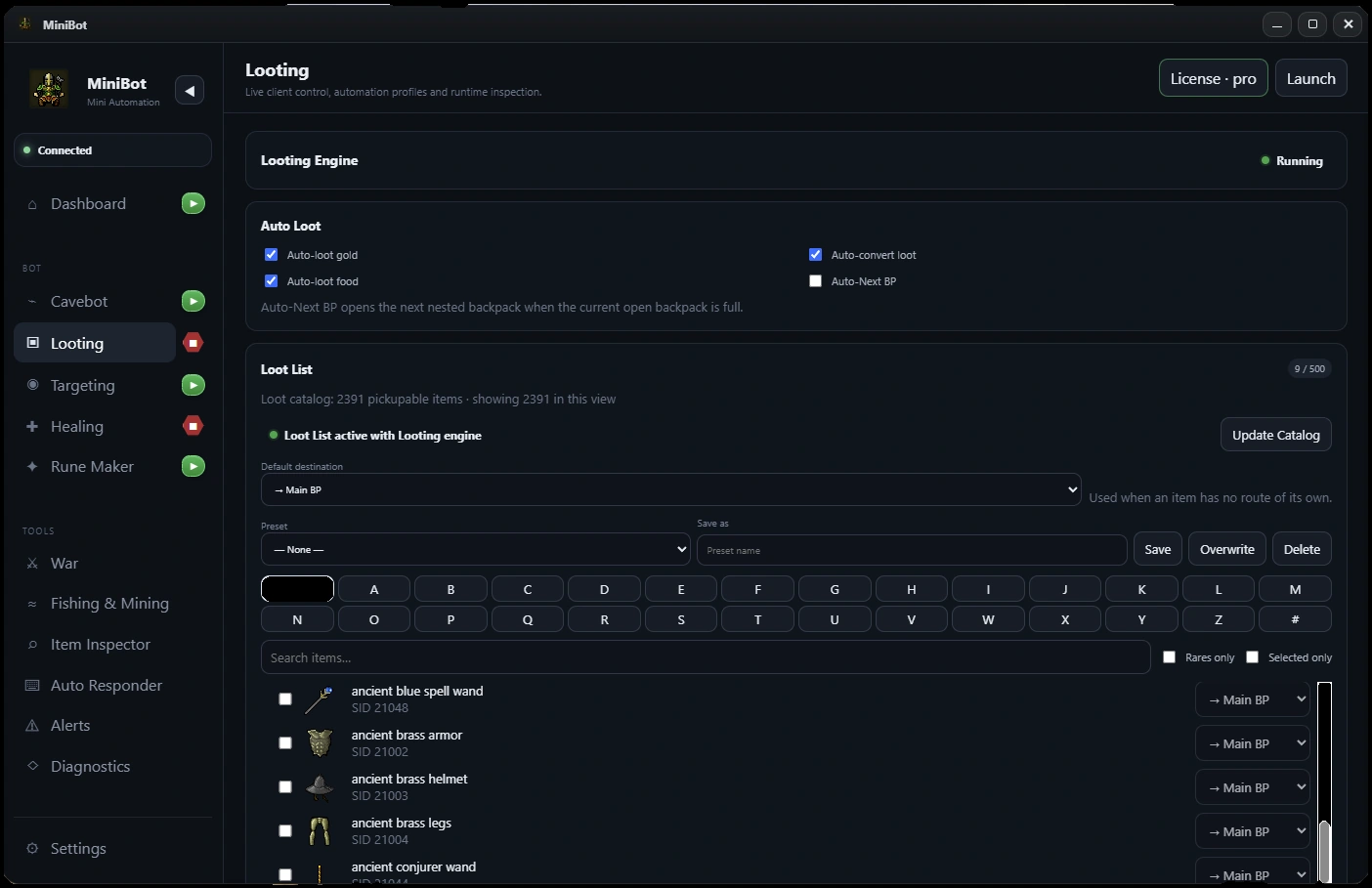
01 / Organized auto-lootingUse a searchable Minibia loot list
Find items through MiniBot’s searchable loot catalog, choose what to collect and save loot preferences for your character. This keeps the decision to loot separate from backpack routing and navigation.
- Searchable pickup item catalog
- Configurable loot selections and presets
- Character-focused settings
02 / Organized auto-lootingConfigure item destinations
Assign selected items to intended backpacks to keep drops, supplies and valuable items organized. Smart Looting is meant to work with your inventory layout—not rely on a single all-purpose container.
- Per-item backpack destinations
- Backpack organization
- Loot settings that connect to depositing
03 / Organized auto-lootingCoordinate corpses with the rest of the hunt
MiniBot includes corpse-queue and proximity-based handling designed to help the route continue after combat. Game-world objects and container states can vary, so start with a short test route and check your looting rules before a long run.
- Corpse queue workflow
- Closest-corpse-oriented handling
- Works with Smart Targeting and Cavebot