


Fishing and Smithing
Use a fishing rod on water with a configurable casting interval. In the Smithing panel, select an ore and set the timing for using it on anvils.
- Fishing rod on water
- Selected ore on anvils
- Independent action intervals
Manage Fishing, Smithing, Wood Cutting and Mining from one dedicated screen. MiniBot gives each gathering activity its own controls so you can configure the tools and timing that suit your character.
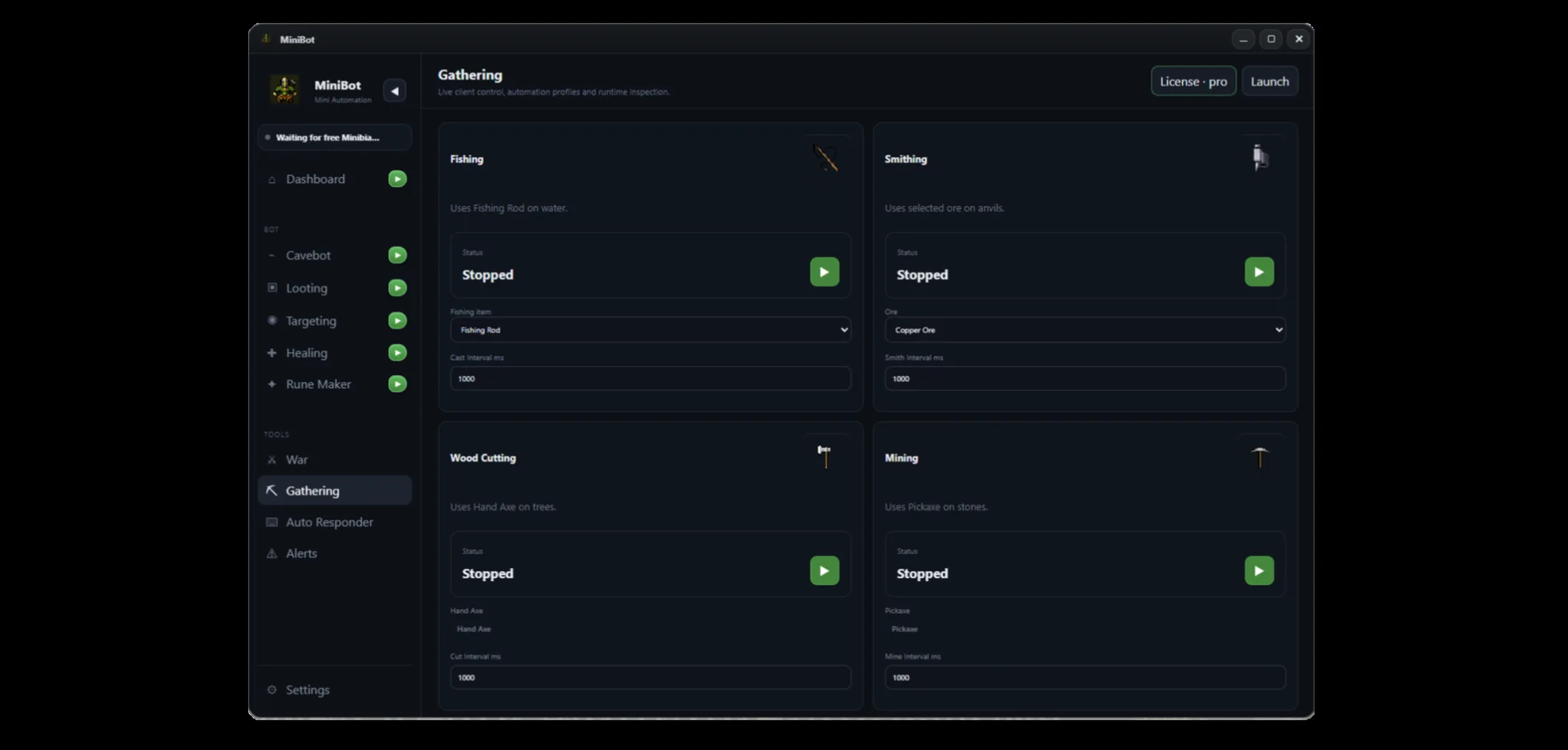 Actual MiniBot interface
Use the real interface preview above to explore the activities available in MiniBot's Gathering section.
Use a fishing rod on water with a configurable casting interval. In the Smithing panel, select an ore and set the timing for using it on anvils.
Keep tree cutting and stone mining in separate panels. Configure tool use and timing to match the resource-gathering activity you're running.
Each Gathering card displays its own status and start control, so you can adjust an activity without changing your Cavebot, Targeting or Looting configurations.
Important: MiniBot is independent third-party software, not affiliated with Minibia. Check the game's published rules before using automation.
Explore Cavebot, Targeting, Looting, radar, and gathering features together.