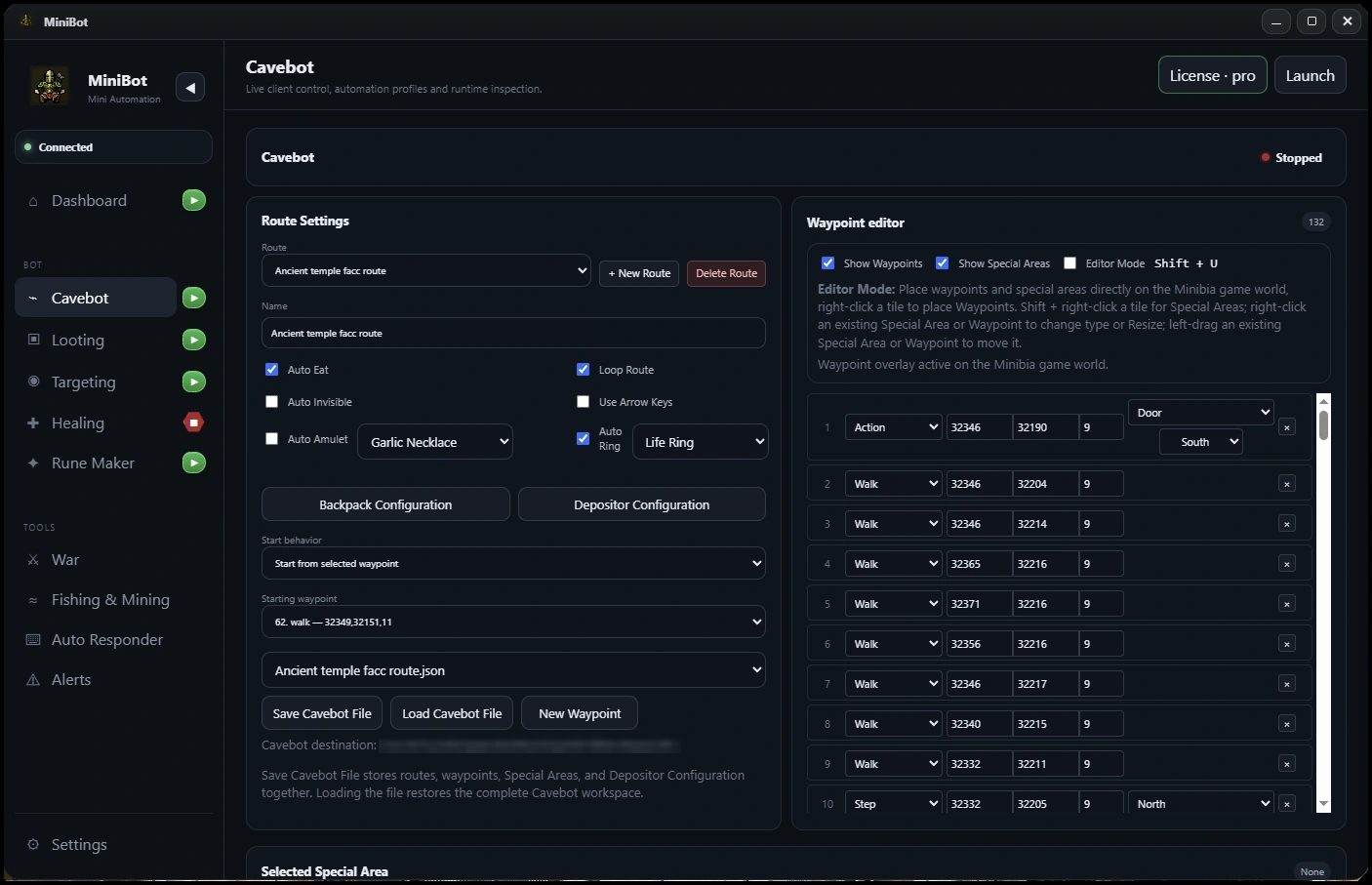
Plan the route in two directions
Begin with a working Cavebot hunting loop and a reliable route to your intended depot or supply location. Treat the return trip and the journey back to the hunt as separate segments so they can be tested independently.
Confirm that the character can reach every relevant interaction point without combat before enabling inventory handling.
Configure backpack and item destinations
Review MiniBot’s Depositor Configuration and backpack settings. Decide where carried loot should go and which items should be available when the character leaves the depot.
Use a small test quantity first. A correct route cannot compensate for an incorrect backpack selection, missing item or unavailable container.
Define the supply and capacity trigger
Use the Cavebot Supply & Capacity Check waypoint or configured supply conditions to determine when the hunt should switch to its return route. Keep the threshold easy to trigger during testing, then adjust it after the entire loop succeeds.
Confirm that the selected route is actually the one leading to the depot. A Route Change waypoint is useful for intentional transitions, but it does not evaluate supply conditions.
Validate one deposit-resupply cycle
Run one supervised cycle with known items: leave the hunt, navigate to the depot, perform the configured inventory handling, then return to the hunting route. Note each place where character position, container state or interaction matters.
- Check the capacity or supply condition that triggers the branch.
- Confirm travel to the intended depot position.
- Inspect the items before and after deposit or withdrawal.
- Confirm that the selected return route starts correctly.
Combine with Smart Looting only after verification
Once deposit and withdrawal are reliable, connect the workflow to Smart Looting. Test with realistic backpack contents and verify that loot routing does not compete with supply handling. Save the Cavebot configuration so you can return to a known-good setup after changes.
Before you enable a longer session
- Test depot and return routes independently
- Confirm container and destination settings
- Trigger a Supply & Capacity Check deliberately
- Inspect inventory before and after one cycle
- Save the working setup before scaling it
MiniBot is not affiliated with or endorsed by Minibia. Minibia’s published rules prohibit cavebotting and other non-native automation. Features may not work in every situation; review the game rules before use.