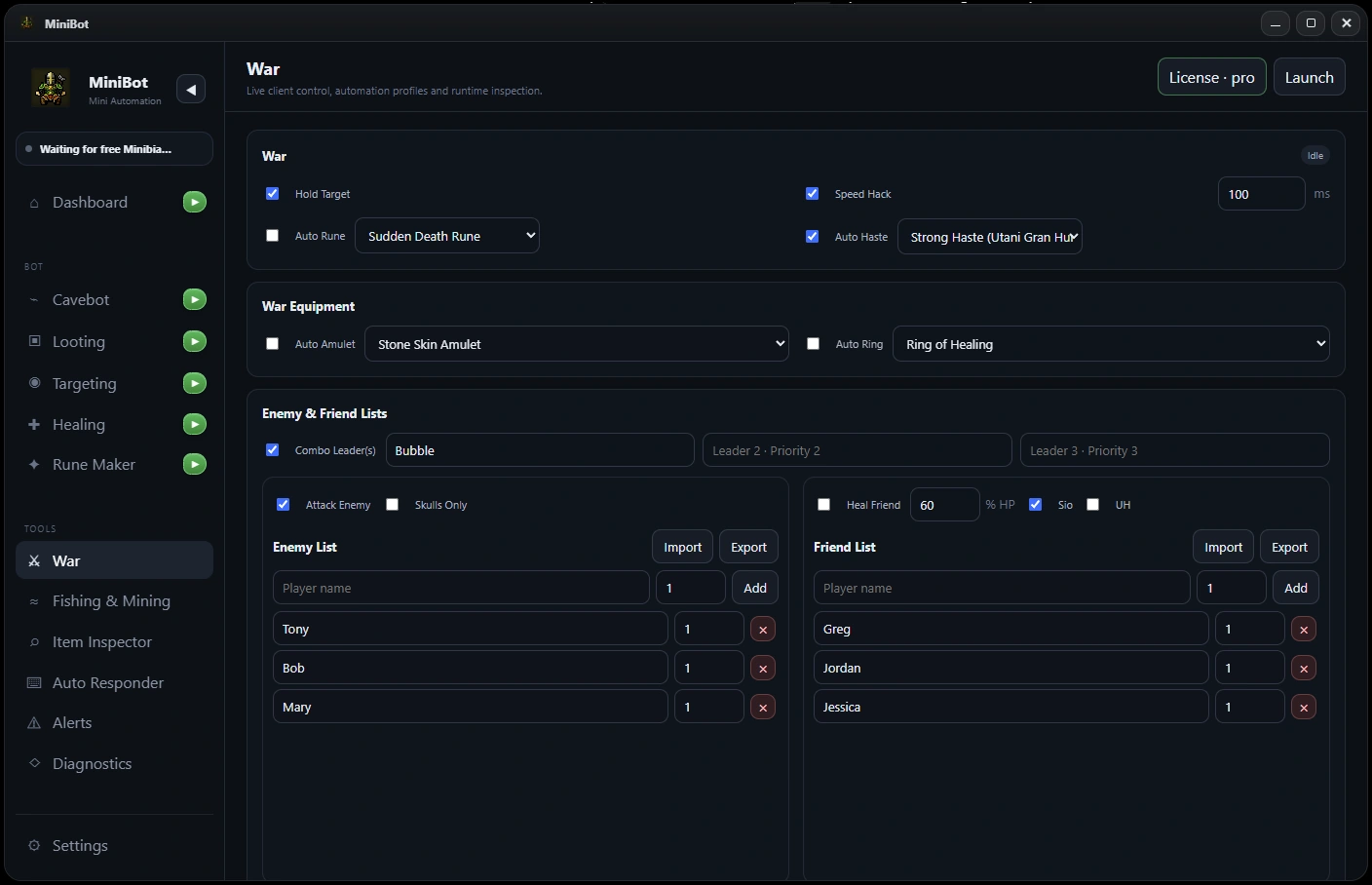
Set up your friend and enemy lists
Open War in MiniBot and review the friend/enemy settings. Use exact character names where possible and make sure each known player is in the intended list. Those lists may influence how other War features treat nearby players.
Test names using characters you control before relying on the lists during a fight.
Understand Hold Target and manual selection
Hold Target is intended to preserve a selected target through certain client targeting changes. Verify how it responds to deliberate manual target switches and target disappearance before combining it with other automation.
If a target remains highlighted but no attack is occurring, treat selection and actual attack execution as separate checks. A visual target indicator by itself is not proof that an attack action is active.
Review hotkeys and emergency control
Learn the current hotkeys for pausing or resuming automation, bringing MiniBot forward and interrupting an active workflow. Ensure the focused MiniBot instance is paired with the intended Minibia client; this matters especially when several game clients are open.
Test the pause controls outside a live fight before expecting them to work under pressure.
Configure friend healing separately
War-related support settings can work alongside MiniBot’s Healing tools. For friend healing, confirm the intended names and thresholds before you test spell behavior. A configuration that recognizes a friend is not necessarily ready to cast: resource, range and cooldown conditions still apply.
Start with controlled testing and avoid enabling many overlapping rules at once.
Validate each feature before combining them
Test one War setting at a time with known characters. Verify target selection, movement, hotkeys and healing independently, then enable only the combination you need.
Combat and client behavior can change; no PvP automation feature guarantees success, uninterrupted target tracking or safe operation in every scenario.
Before you enable a longer session
- Verify friend/enemy names carefully
- Test Hold Target with manual target switches
- Confirm focus-specific hotkeys
- Test friend healing only with a controlled setup
- Do not assume a highlighted target means an active attack
MiniBot is not affiliated with or endorsed by Minibia. Minibia’s published rules prohibit cavebotting and other non-native automation. Features may not work in every situation; review the game rules before use.